Website speed optimization, measured in numbers.
A slow site costs you rankings and conversions, and "it feels faster" is not proof. I fix what is actually dragging the score down, get Core Web Vitals into the green, and hand you a before-and-after report you can check yourself. On sites I built and sites I did not.
What a speed optimization pass actually involves
What does website speed optimization involve?
It starts with an audit of the live site: a PageSpeed Insights run on mobile and desktop, a lab trace to see what blocks the first paint, and a look at the real Core Web Vitals field data if Google has enough traffic to report it. That tells us where the time is going. Then the fixes, in priority order: render-blocking CSS and JavaScript, oversized and wrong-format images, fonts that block text, unused code from plugins and builders, and layout shift from elements that load without reserved space.
What is included when I optimize your site?
Work happens on a staging copy so production is never at risk. You get image conversion to modern formats with correct sizing and lazy-loading, font loading fixed so text paints immediately, critical CSS handled, deferred or removed scripts where safe, caching and a CDN configured properly, and database and asset cleanup. Every page template and every form is tested before anything ships. You get the before-and-after PageSpeed reports and a short note on what changed and why.
Who it is best for
Sites that are live but slow, sites failing Core Web Vitals in Search Console, and sites where a heavy Elementor or Divi build has piled up over the years. If the site is genuinely beyond tuning, I will tell you, and a redesign or a lean rebuild in Bricks becomes the better spend.
Every speed project ships with this.
- Audit of the live site: PageSpeed, lab trace, field data
- All work done on a staging copy, production untouched
- Images converted, sized and lazy-loaded
- Render-blocking CSS and JavaScript resolved
- Font loading fixed so text paints without delay
- Layout shift removed: reserved space for media and embeds
- Caching and CDN configured, database and assets cleaned
- Before-and-after report, plus a note on what changed
Get the website for free.
Commit to keeping it maintained and the work to get it there is on me.
8 months of maintenance
$99 / month
Sign up for 8 months of maintenance and the build is free. Updates, backups, security patching and speed monitoring included.
See pricingHosting + maintenance, 6 months
$115 / month
Take managed hosting and maintenance together for 6 months and the build is free. Hosting, updates, backups, security and monitoring in one plan.
See pricingFixing the cause, not gaming the score.
90+ PageSpeed, passing Core Web Vitals
The target is 90+ on PageSpeed and Core Web Vitals passing on real hardware, not a one-off lab spike. That means working the mobile profile hardest: Largest Contentful Paint under 2.5s, interaction latency low, and no layout shift.
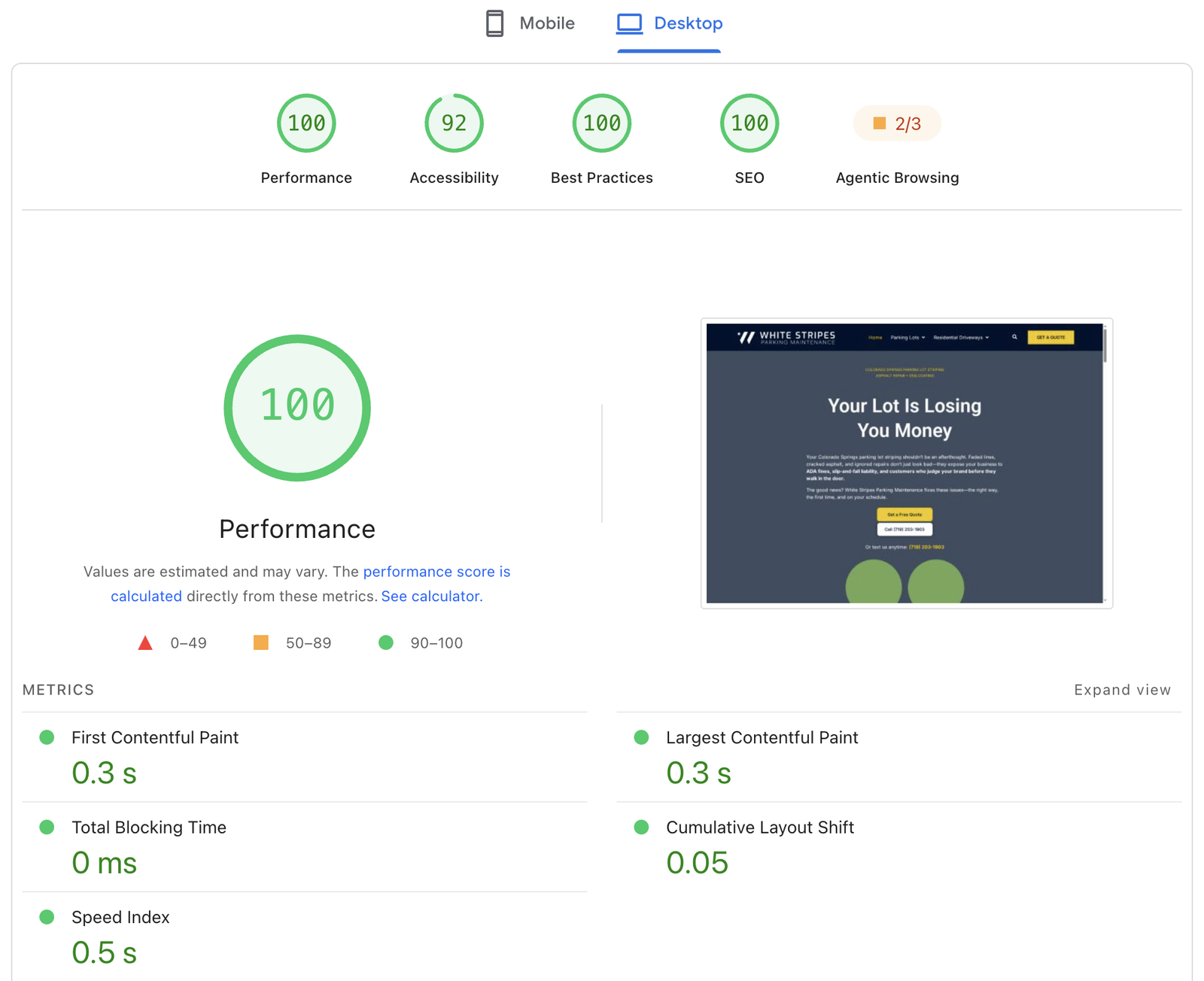
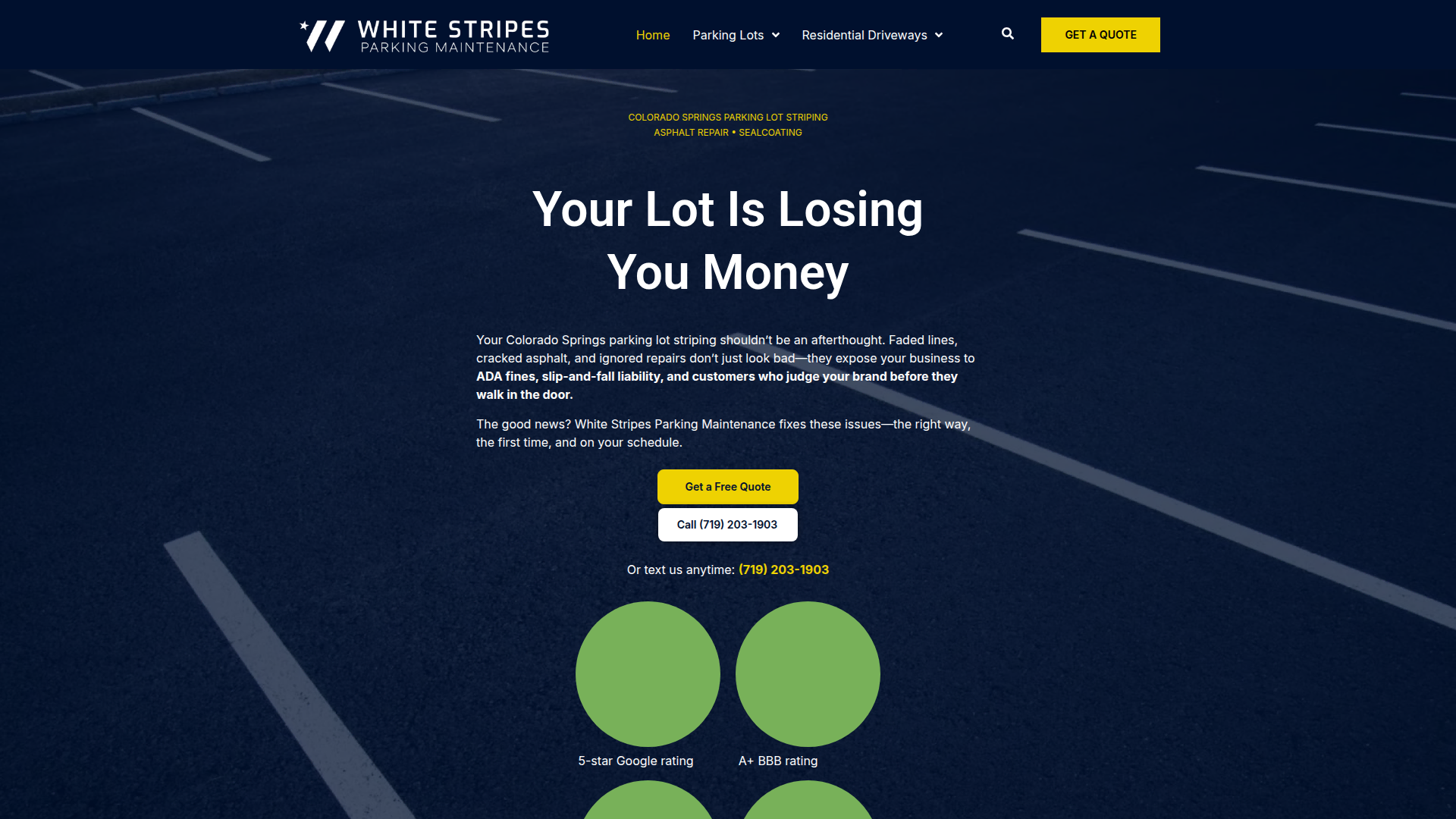
Straight talk: the reports here are live client sites, White Stripes Parking at 100 on desktop and 94 on mobile. Not every site lands there. Image-heavy pages, third-party scripts or a slow host set a ceiling, and I will tell you where yours is before you commit.
Measured before and after
- PageSpeed Insights, mobile and desktop, captured before any work
- Lab trace so the real bottleneck is identified, not guessed
- Field data (CrUX) checked where Google reports it
- Same tests re-run after, so the delta is on the record
- A short written note on every change and why it was made
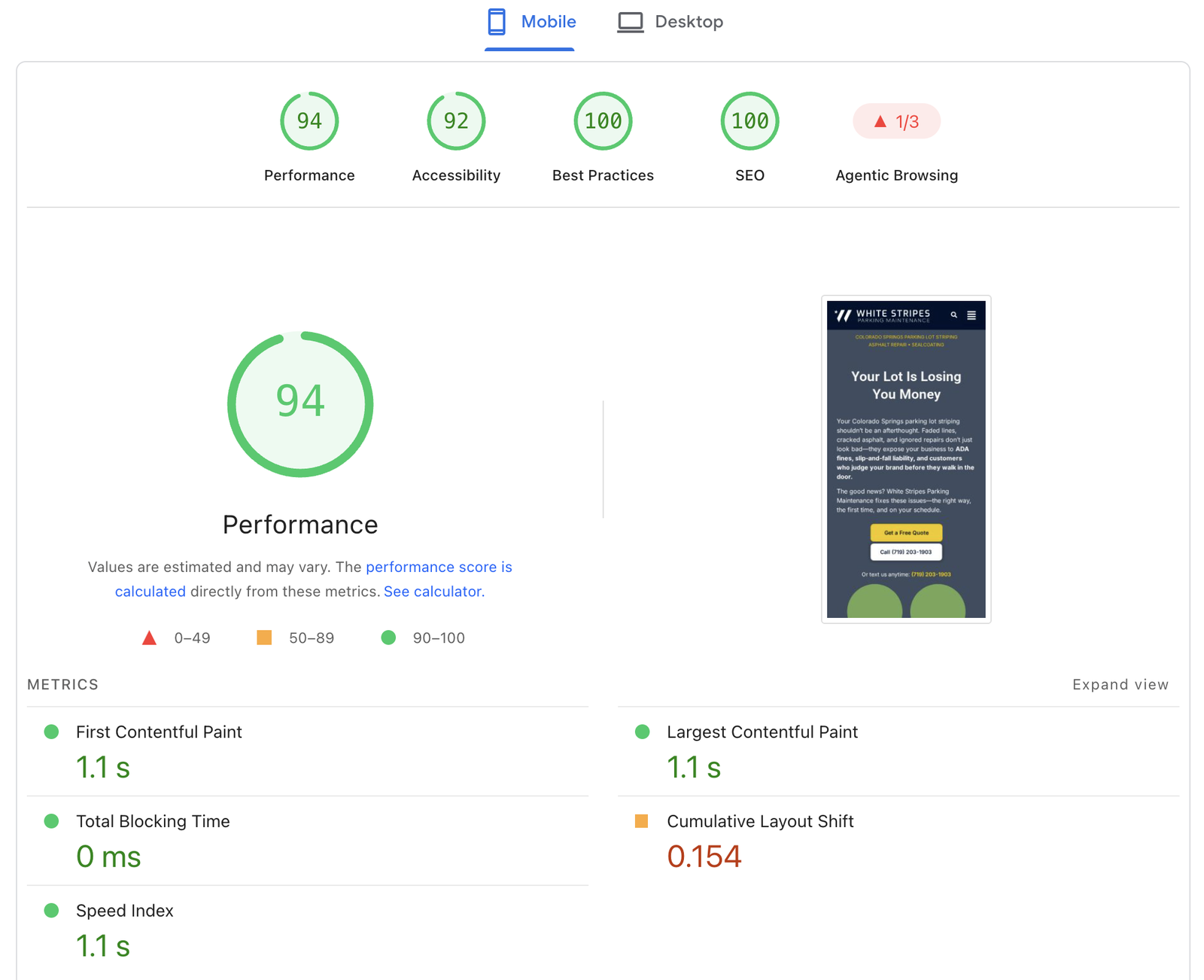
Real PageSpeed Insights reports.
Pulled from live client sites. Every one built or tuned to 90+ with Core Web Vitals in the green.
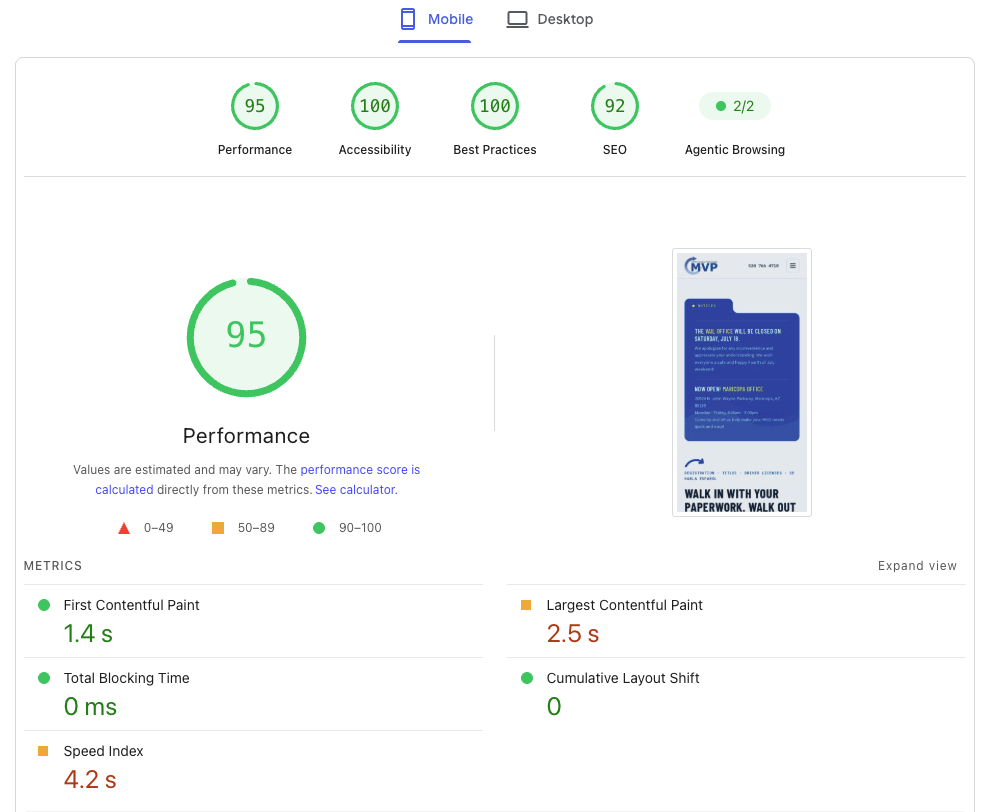
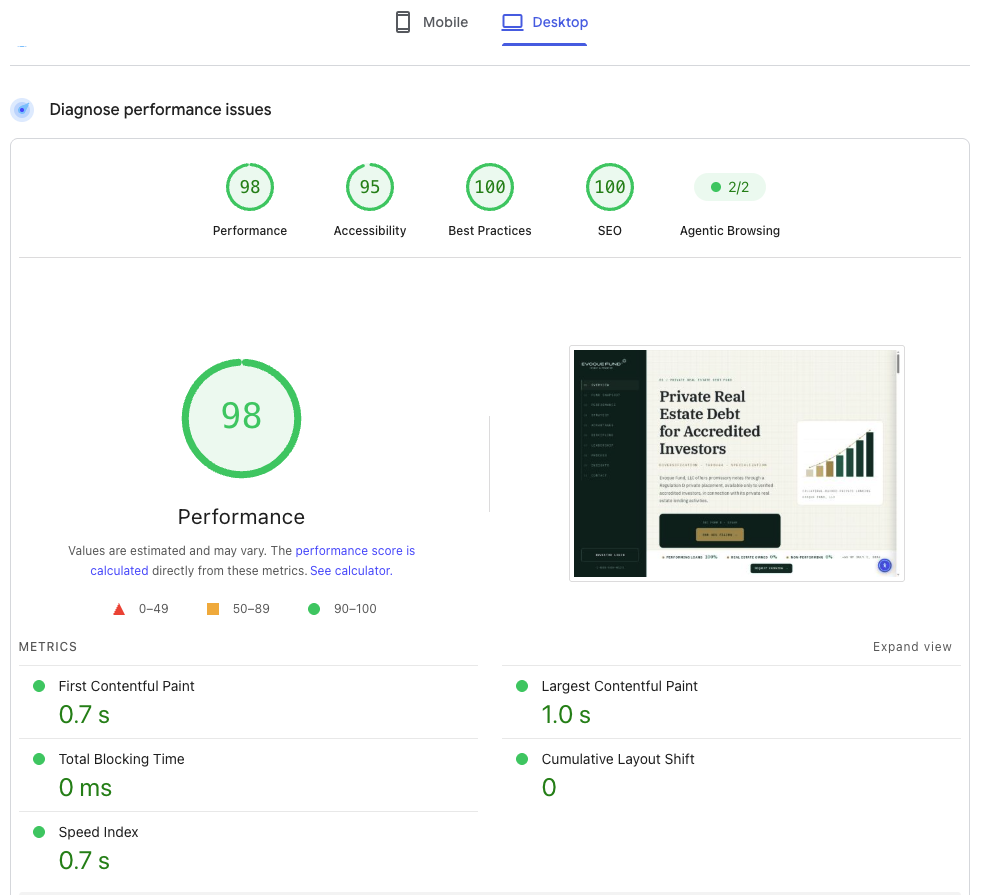
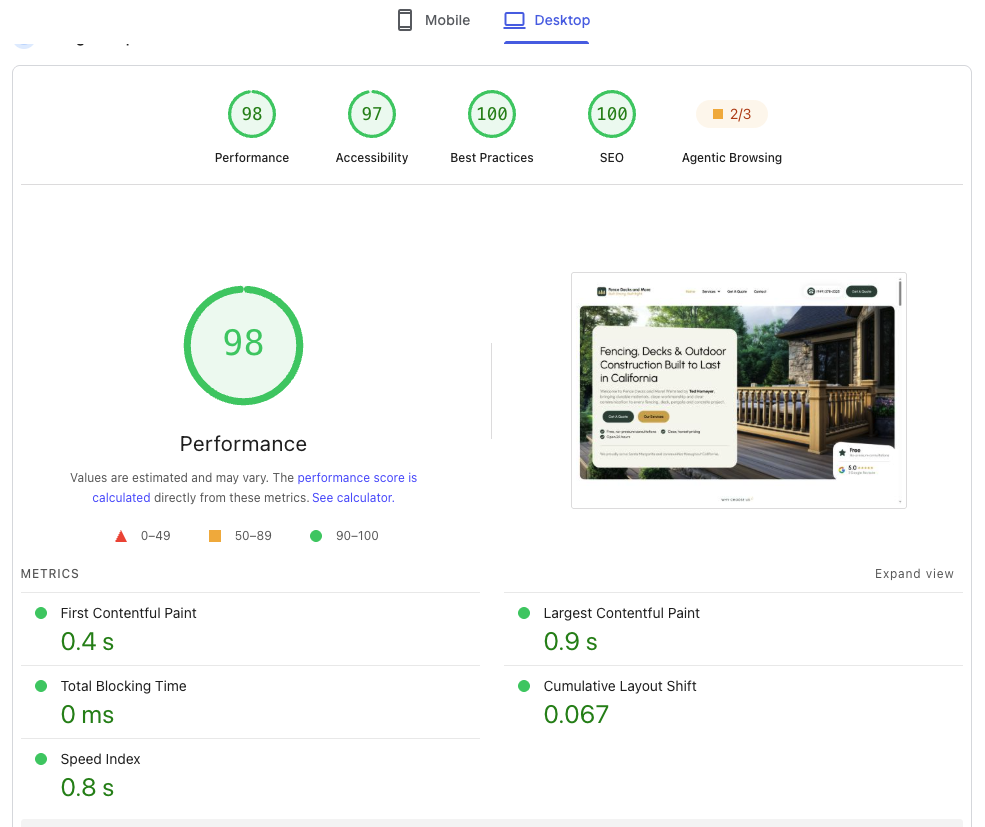
Live PageSpeed Insights reports, August 2026.
Sites that pass, in the field.


Speed work, answered.
How much faster will my site get?
It depends on where you start. Sites stuck in the 30s to 50s on mobile usually move into the 80s or 90s once render-blocking assets, oversized images and unused code are dealt with. I run PageSpeed Insights and a lab test before and after, so the change is a number you can see rather than a claim.
Can you guarantee a 90+ or a 100 score?
I target 90+ and passing Core Web Vitals on every project, and on lighter sites 100 is realistic. What I will not do is promise a specific number sight unseen. Some ceilings are set by third-party scripts, ad tags or a slow host, and I will tell you that up front rather than after.
Why is my mobile score so much lower than desktop?
PageSpeed throttles mobile to a slow CPU and network on purpose. Large hero images, heavy fonts and JavaScript that is fine on desktop become the bottleneck. Most of the work in a speed pass is aimed squarely at that mobile profile.
Do you optimize sites you did not build?
Yes. Most speed work is on existing sites, usually Elementor, Divi or a bloated theme. I audit the live site, agree the scope, then work on a staging copy so nothing breaks in production.
Will speeding it up break anything?
That is the risk with aggressive optimization plugins, which is why I work on staging and test every template and form before anything goes live. If a tweak saves 100ms but risks a layout, it is not worth it and I leave it out.
Can Elementor or Divi sites hit 90+ too?
Desktop, usually yes. Mobile on an image-heavy Elementor or Divi site realistically lands in the high 80s to mid 90s after a proper pass. If you need a guaranteed lean baseline, a rebuild in Bricks or hand-coded WordPress is the stronger route, and I will say so if that is the honest answer.
What it costs.
A speed pass is usually quoted flat, once a short audit shows what is holding the score down. Hourly also works. Both run through Upwork with escrow.
What moves the number
- Starting score and how far off passing Core Web Vitals it is
- How many unique page templates need work, not just the homepage
- Builder and theme: a lean base is quicker than heavy Elementor or Divi
- Third-party scripts: chat widgets, ad tags, trackers, embeds
- Whether the host and CDN can be changed or configured
Send me the slow page.
Share the URL on Upwork and I will run the audit and come back with what is dragging it down, what a pass would cover, and a number. Usually within one business day.